Automating the admin nobody relocated to Spain to do
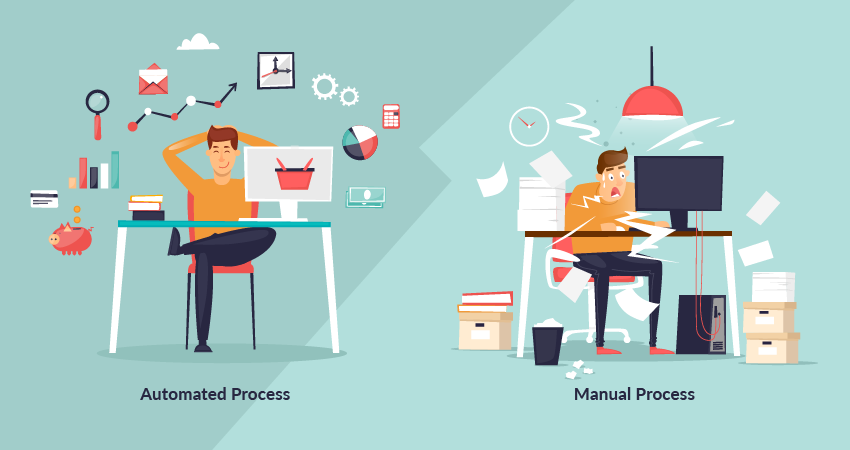
Nobody moves to the Costa Blanca dreaming about invoices. You came for the light, the food, the slower evenings — and then somehow your week fills up with the same small tasks repeating themselves: sending invoices, chasing the ones that haven’t been paid, confirming appointments, replying to the third person this month asking the same question. None of it is hard. All of it is time. And for a small business, time is the one thing you can’t buy more of.
The good news is that most of this work doesn’t need you. The repetitive, predictable parts can run on their own while you keep your hands on the parts that actually need judgement. Here’s what that looks like in practice, what’s worth automating, and what to leave alone.
What can actually be automated — and what shouldn’t be
The work that automates well is the work that follows the same steps every time: sending and chasing invoices, booking and confirming appointments, follow-up emails after an enquiry, collecting form responses into a spreadsheet or CRM, and routing each enquiry to the right person. If you could write down the rule — “when X happens, do Y” — a machine can usually handle it.
What you should no automate is judgement. Pricing a tricky job, handling a complaint, deciding whether to take on a difficult client — those stay with you. Good automation isn’t about removing yourself from the business; it’s about removing the busywork that sits between you and the decisions only you can make.
“Is it worth it for a business my size?”
This is the question we hear most, usually from people who assume automation is for big companies with big systems. It’s almost backwards. Small teams feel the admin load the most, precisely because there’s nobody to hand it to. When you’re the owner, the invoicer, the scheduler and the support desk all at once, automating even a handful of recurring tasks can give you back several hours a week.
The real question isn’t how many employees you have. It’s how much repetitive work is quietly eating your time — and whether you’d rather spend those hours on the business, or on the reason you moved here in the first place.
Staying in control: automation with you in the loop
The fear is understandable: set something running and lose track of what it’s doing. Good automation is built the opposite way. It handles the predictable steps in between and keeps you in the loop at the points that matter — a confirmation before something goes out, a notification when something needs attention, an easy way to step in.
You set the rules. You can see what’s happening. And you can override it at any time. The aim is a business that runs smoothly when you’re not watching, not one that runs away from you.
Doing it the Spanish way
Automation here has to respect how things are actually done in Spain — which means working with your gestor and the country’s invoicing rules, not around them. Spain is in the middle of phasing in mandatory electronic invoicing between businesses, under the Crea y Crece law and the related Veri*factu software requirements. The exact deadlines depend on your turnover and are still being finalised, but the direction is clear: invoices will increasingly need to run through certified, structured systems rather than a PDF you put together yourself.
That’s less of a headache than it sounds — and it’s a good reason to get your invoicing onto compliant software now, so any automation sits on the right foundation instead of something you’ll have to rebuild later. We set up the workflow to fit the tools you and your gestor already rely on, so the manual steps disappear while the compliance stays intact.
Where to start: the quick scan
You don’t have to automate everything, and you certainly shouldn’t try to do it all at once. The smart move is to start with the tasks that are frequent, repetitive and low-judgement — the ones you do the same way every single week — and build out from there once you’ve felt the time come back.
That’s exactly what our quick scan (from €350) is for. We map your current workflow, find where your hours are actually going, and pinpoint the handful of automations that would make the biggest difference first. You come away with a clear, honest picture of what’s worth doing — whether or not you take it further with us.
Preguntas frecuentes
What kinds of admin can actually be automated?
The repetitive, rules-based work: sending and chasing invoices, booking and confirming appointments, follow-up emails, collecting form responses into a spreadsheet or CRM, and routing enquiries to the right person. If a task follows the same steps every time, it’s usually a good candidate.
Is automation worth it for a business with just a few employees?
Often, yes. Small teams feel the admin load the most, because there’s nobody to delegate it to. Automating even a handful of recurring tasks can give back several hours a week. The real question isn’t company size — it’s how much repetitive work is eating your time.
Will I lose control if I automate things?
No. Good automation keeps you in the loop at the points that matter and only handles the predictable steps in between. You set the rules, you can see what’s happening, and you can step in at any time.
Can you automate invoicing and appointments under Spanish rules?
Yes. We connect the workflow to the tools you and your gestor already use, so invoices go out and appointments get confirmed automatically while staying within Spanish requirements. The aim is to remove the manual steps, not to replace the systems you already rely on.
How do I know which tasks to automate first?
Start with tasks that are frequent, repetitive and low-judgement — the ones you do the same way every week. Our quick scan (from €350) maps your current workflow and pinpoints the highest-impact automations to begin with.
What does Levantic do here?
We map your workflow, build the automations — often by connecting your existing tools rather than replacing them — and set them up so they run reliably with you in control.
Not sure which tasks are stealing your week? Start with a quick scan — or ask the assistant in the corner what automation could look like for a business like yours.
 English
  Español
  Nederlands
Aún no hay respuestas